ATdesdecero ATdesdecero
WebApp
Model Context Protocol

ATdesdecero
inside Claude

Connect the platform with Claude via MCP and query options data, gamma structure, delta flow and market analysis directly from your AI conversation.

Real-time data via AI
OAuth 2.0 authentication
Gamma, delta, macro and more
View Live Flow plan →
Protocol MCP · OAuth 2.0
Compatible with Claude.ai
Data Real time
Plan Live Flow

Your market platform
inside your AI

Model Context Protocol (MCP) connects Claude directly to your ATdesdecero account data. No copying screenshots, no switching tabs, no losing context. You ask Claude, Claude pulls the live data right then.

Is SPX compressed near the gamma flip or has it already broken through? Is delta flow confirming the price move or decoupling? How are NVDA's operating margins versus their historical average? Questions like these, with real and current data, directly in the conversation.

🔄
Real-time data, AI context
The MCP integration connects ATdesdecero data with Claude's context, enabling combined analysis of options structure with AI reasoning.
🔐
Secure OAuth authentication
The connection uses OAuth 2.0. Your ATdesdecero credentials are verified directly from the browser — Claude never accesses your password.
Exclusive to Live Flow plan
The MCP integration is available only to subscribers of ATdesdecero's highest tier — the same plan that includes real-time options data.
Exclusive to the Options Flow Live Analysis plan. The MCP integration is available only to subscribers of this plan. Includes full access to real-time data, gamma structure, delta flow and the entire ATdesdecero platform from Claude. View plans →
Three steps to
connect
The integration is configured directly from Claude in under two minutes. No technical knowledge required.
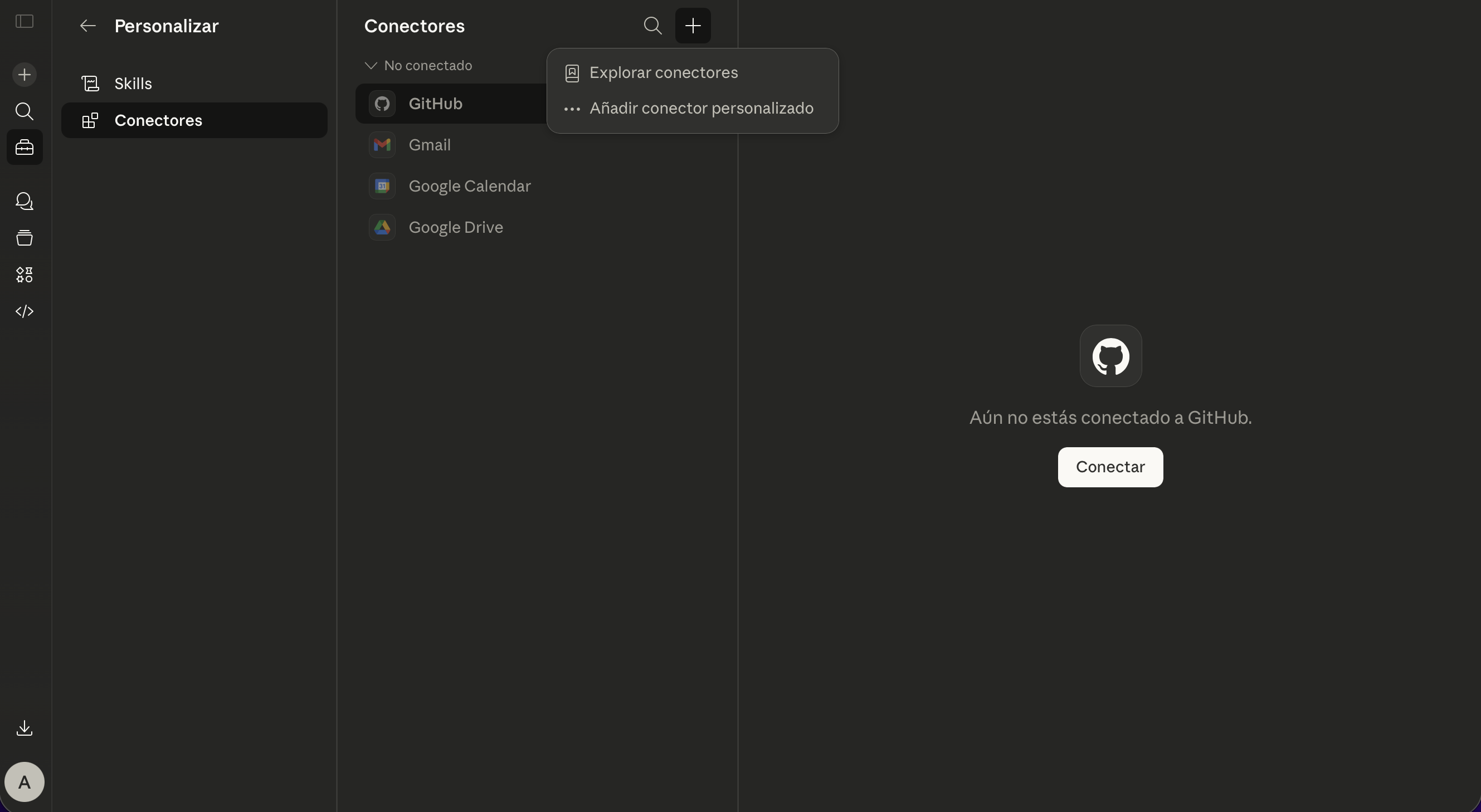
Step 1 — Go to Connectors in Claude and add a custom connector
1

Go to Connectors in Claude

Settings · Connectors · Add custom connector

Open Claude settings and navigate to the Connectors section. Select the option to add a custom connector. You'll find this in your Claude.ai account settings menu.

  • Available in Claude.ai from the settings menu
  • Compatible with Claude Pro, Team and Enterprise accounts
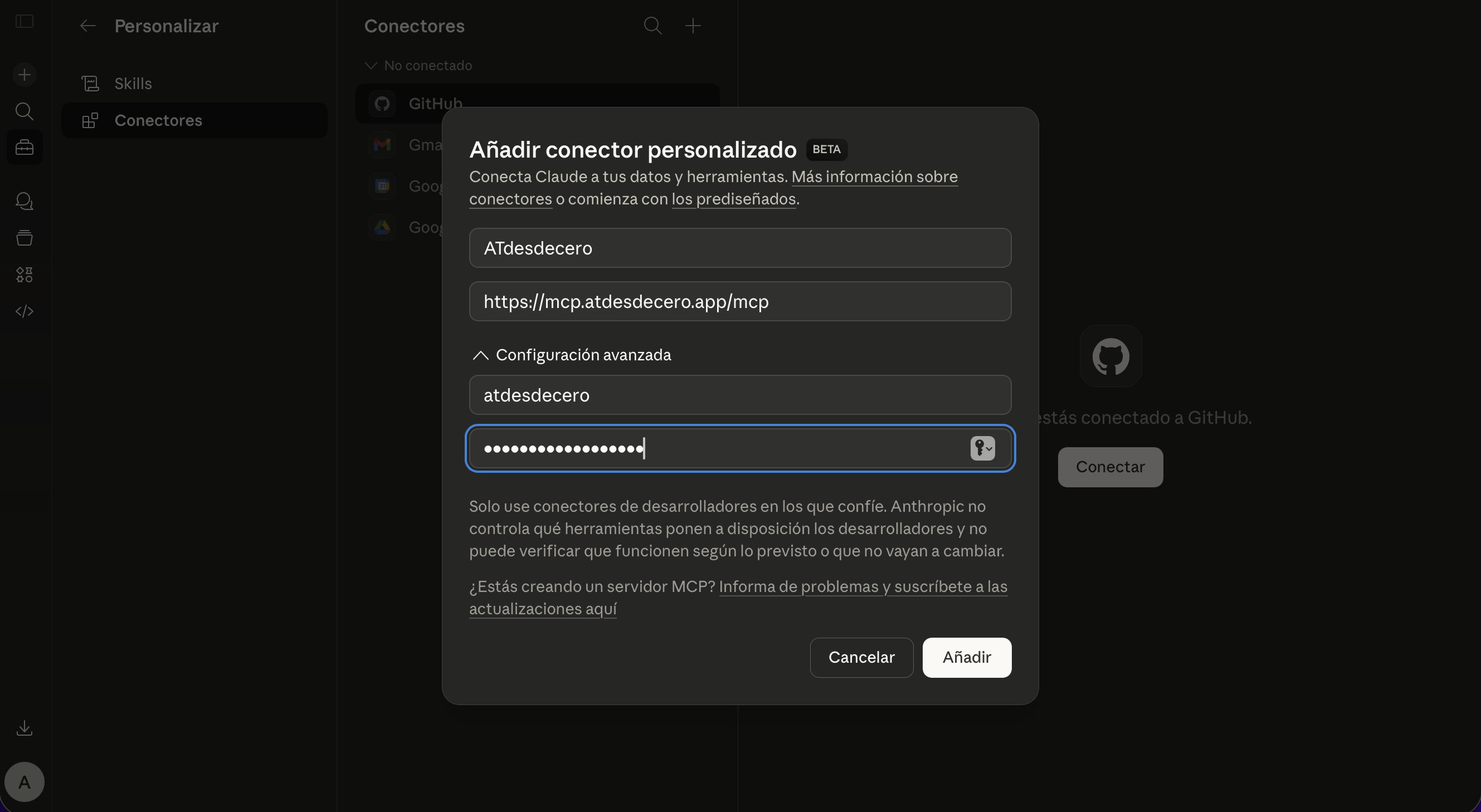
Step 2 — Enter ATdesdecero MCP credentials in Claude
2

Enter the credentials

Name · URL · OAuth ID · OAuth Secret

Enter the ATdesdecero connection details exactly as shown below. These values are the same for all users — your personal account authentication happens in the next step.
Name ATdesdecero
URL https://mcp.atdesdecero.app/mcp
OAuth ID atdesdecero
OAuth Secret claude_atdesdecero
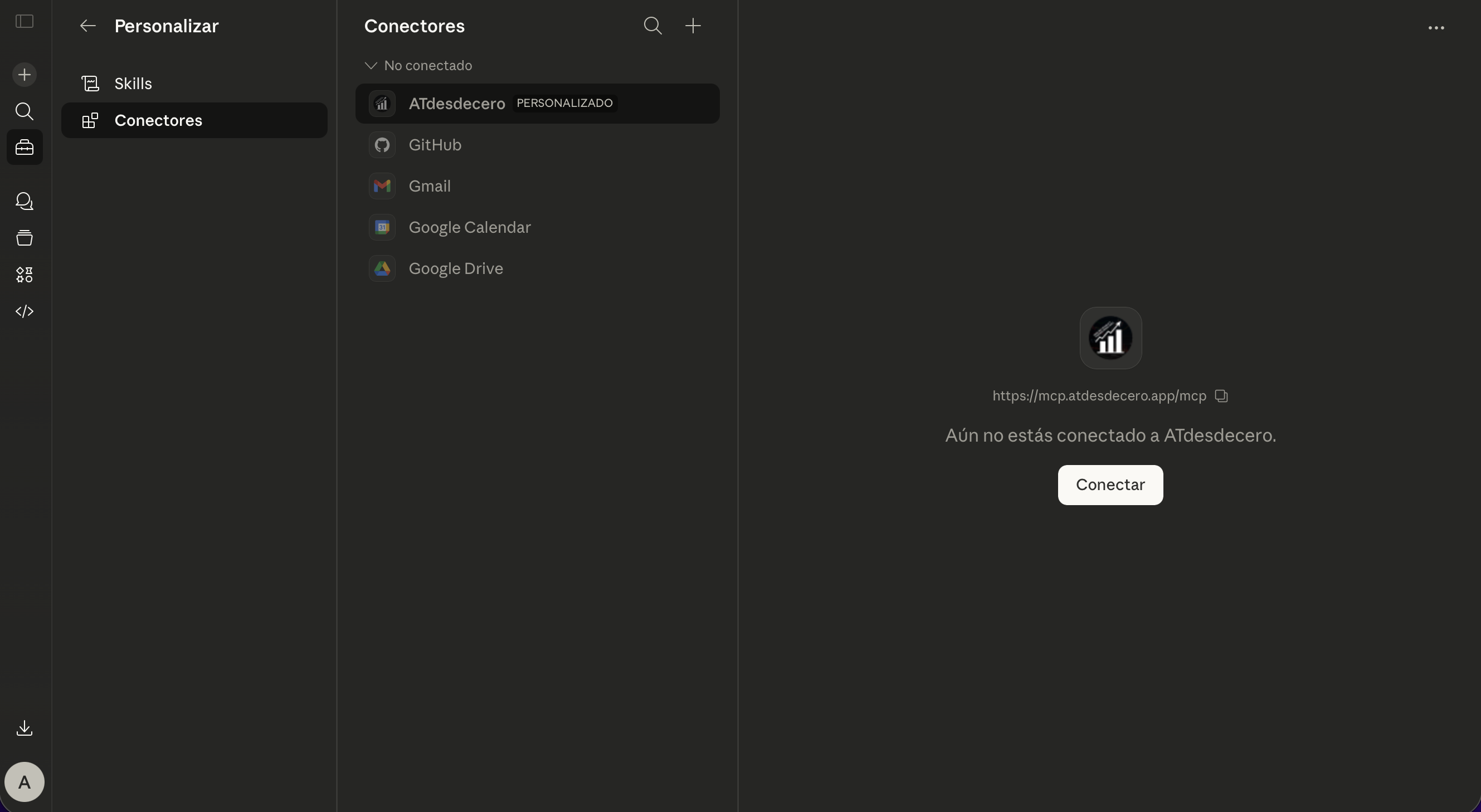
Step 3 — Authorize the MCP connection with ATdesdecero credentials
3

Authorize the connection

Connect · Authentication · Done

Click Connect. Your browser will open an authorization page where you enter your ATdesdecero account credentials. Once access is confirmed, the connection is live and ready to use from any Claude conversation.

  • Secure authentication with your ATdesdecero credentials
  • Claude never accesses your password directly
  • The connection stays active until you manually revoke it
✓ Done. Once authorized, you can ask Claude about options data, gamma, delta, macro and all your ATdesdecero account information directly in the conversation.
Market data,
AI reasoning
With the integration active, Claude can access and reason over all information available in your ATdesdecero account.
📐
Gamma Structure
Query gamma flip, max gamma, put wall, call wall and total GEX for SPX and QQQ directly in Claude.
🌊
Live Delta Flow
Access cumulative Net Delta Flow in real time and detect price divergences directly from the conversation.
📊
PCR and IV ATM
Updated Put/Call Ratio and ATM implied volatility. Options market directional bias in seconds.
🗺️
Gamma Map
Full GEX and DEX distribution by strike and expiration. Identify absorption and acceleration zones.
📰
U.S. Macro Data
Macro calendar, relevant economic data and U.S. market context available directly in Claude.
📋
Fundamental Analysis
Financial statements, valuation ratios, margins and key metrics for U.S. market companies. Analyze fundamentals directly from Claude.

What you need to know

Which plan includes the MCP integration?
The MCP integration is available exclusively to subscribers of the Options Flow Live Analysis plan, ATdesdecero's highest tier. This is the same plan that includes options data updating every 10–15 seconds and real-time Net Delta Flow.
Which version of Claude do I need?
The MCP integration requires a Claude.ai account with support for custom connectors. It is compatible with Claude Pro, Team and Enterprise plans. MCP connector functionality is not available on Claude's free plan.
Is it safe to enter my credentials?
Yes. Authentication uses OAuth 2.0. The credentials you enter in step 2 (OAuth ID and Secret) belong to the public connector — the same for all users. Your personal ATdesdecero credentials are entered directly on the ATdesdecero authorization page in the browser, never inside Claude.
Can I revoke the connection at any time?
Yes. You can disconnect the integration from the Connectors section in Claude's settings at any time. You can also revoke access from your ATdesdecero account.
Does the integration work with Claude Desktop as well as Claude.ai?
The integration is configured and tested for Claude.ai. Compatibility with Claude Desktop may vary depending on the version and configuration. For the most stable experience, Claude.ai from the browser is recommended.

Included in the
Live Flow plan

The MCP integration is part of ATdesdecero's most complete plan, along with real-time options data and Net Delta Flow.